i accidently downgrade my iphone 4 from 5.0 to ios 4.3.4 for testing purpose. then when i want to get back ios 5.0, i got error 20 and my iphone stuck at recovery mode. i googles and failed to get the workaround how to resolve that.
after a day...i tried and tried many way...many times..after that i found the way...
error 20 fix
What I did was as follows:
1.downgraded my itunes to 10.2.2
2.downloaded 4.3.3 firmwire
3.shift+restore find the update and wait till its done
4.upgrade both itunes to itunes beta 10.5.0.48
5.download 5.0 firmwire
6.finally put the idevice in dfu mode and restore!
This worked for me and hopefully it'll work for you!
if u have any question, just emel to me @ irazzac@gmail.com
Wednesday, July 20, 2011

Friday, June 10, 2011
IOS 4.3.3 | Cara bagaimana untuk jailbreak iPhone 4 / 3GS / iPod Touch / iPad
IOS 4.3.3 | Cara bagaimana untuk jailbreak iPhone 4 / 3GS / iPod Touch / iPad
Di bawah adalah cara bagaimana untuk jailbreak iPhone 4 / 3GS / iPod Touch / iPad IOS 4.3.3 menggunakan RedSn0w Untuk Windows.
# Pastikan iPhone anda adalah Local GSM Set Maxis/ Digi/ Celcom/ Singapore / Australia Set.
Langkah 1.
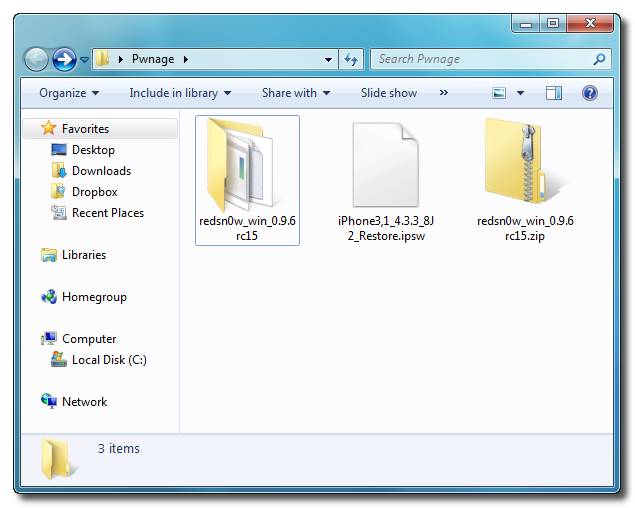
Buat Satu Folder pada Desktop anda dan namakan dia sebagai Pwnage
Download RedSn0w di sini dan simpan dalam Pwnage folder, dan pastikan jangan lupa untuk download the latest 4.3.3 firmware dari link di bawah dan tempatkan dalam folder yang sama.
4.3.3 (4 GSM): iPhone3,1_4.3.3_8J2_Restore.ipsw #note: utk iPod / iPad Boleh search guna google.
Unzip RedSn0w zip file dalam folder sama.
Langkah 2.
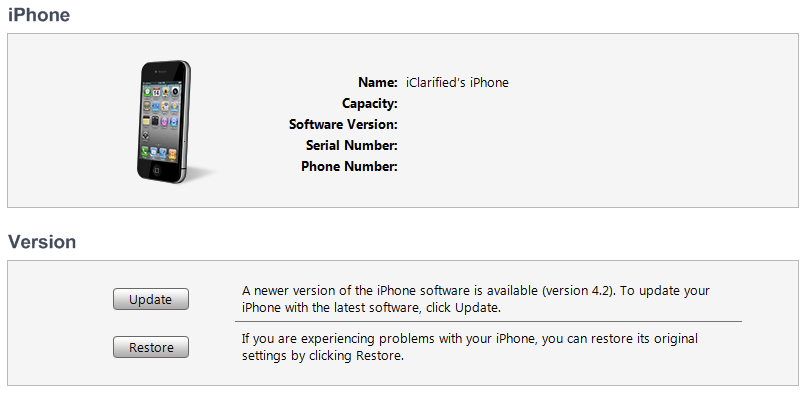
Sambungkan iPhone menggunakan USB kepada Komputer dan buka iTunes.
Pilih iPhone anda pada list sebelah kiri. Sekarang tekan Shift pada keyborad dan klik pada Restore Button. Restore is preferred as it won't create any wasted space on your iPhone.
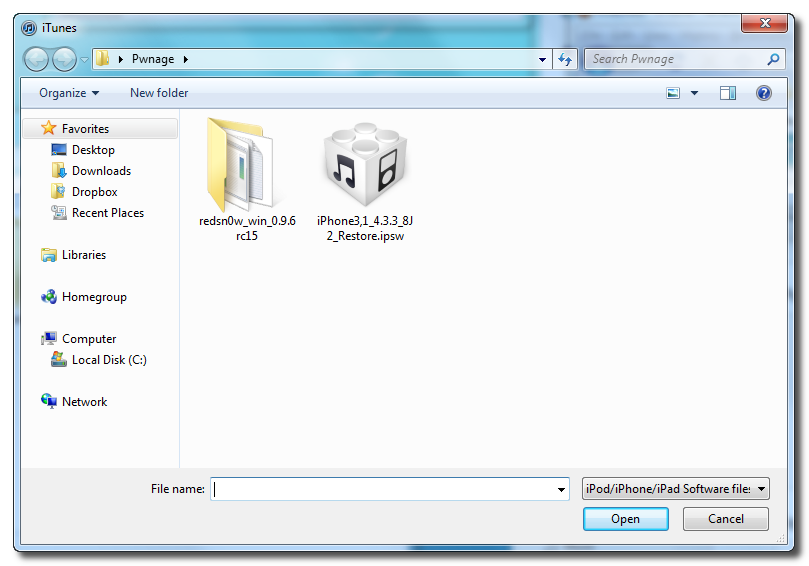
Navigate to the Pwnage folder on your desktop and select the 4.3.3 firmware ipsw. Click the Choose button to continue.
Langkah 3.

Once iTunes has finished updating your iPhone to the desired firmware open the Pwnage folder on your desktop and launch the redsn0w application from the redsn0w folder we extracted earlier.
**Windows 7 users may want to try running the redsn0w executable mode as an administrator in Windows Vista compatibility. You can do this by right clicking the executable and selecting Properties from the contextual menu.
Langkah 4.
Once RedSn0w opens click the Browse button
Langkah 5.
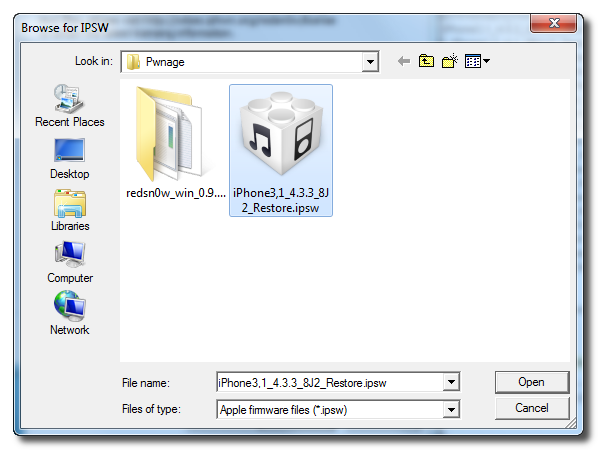
Select the 4.3.3 firmware ipsw we placed in the Pwnage folder on our desktop then click Open.
Langkah 6.
Once the firmware has been verified click the Next button to continue.
Langkah 7
RedSn0w will now prepare the jailbreak data
Langkah 8
From this window you can select the jailbreak options you would like.
Make sure Cydia is selected and click the Next button to continue.
Langkah 9




Please plug your iPhone into the computer and make sure its OFF then click the Next button
Langkah 10
RedSn0w will now guide you through the steps to get into DFU mode. You can find more help with DFU mode here
Hold down both the Home button and the Power button for 10 seconds.
Release the Power button and continue holding the Home button until RedSn0w detects the device.


Langkah 11
Your iPhone will now reboot
Langkah 12
RedSn0w will then begin uploading the new RAM Disk and Kernel.
Langkah 13


Once this is complete you will be notified that RedSn0w is done. Click the Finish button. When your iPhone finishes rebooting (5 minutes or so) it will be jailbroken with Cydia on the SpringBoard.

Saturday, April 23, 2011
Perlukah Jailbreak iPhone / IOS Device?
Sebelum saya menjelaskan lebih lanjut perlu atau tidak perlu untuk jailbreak iphone/ ios device, elok saya jelaskan apa itu JAILBREAK.
Jailbreaking IOS adalah suatu proses yang membolehkan peranti yang menjalankan IOS Apple (juga dikenali sebagai OS iPhone sebelum IOS 4.0) sistem operasi (seperti iPhone, iPad, iPod Touch, dan baru-baru Apple TV) untuk mendapatkan akses penuh (akses root) untuk membuka semua ciri yang dimiliki sistem operasi, sehingga menghapuskan had-had yang ditetapkan oleh Apple. Setelah Jailbroken, pengguna IOS boleh men-download tambahan aplikasi, sambungan dan theme yang tersedia melalui rasmi Apple App Store, melalui installer seperti Cydia, salah satu daripada sejumlah sarana saat iPhone yang lebih tua. Sebuah iPad iPhone, Jailbroken atau iPod Touch IOS berjalan masih boleh menggunakan App Store dan iTunes dan fungsi normal yang lain, seperti membuat panggilan telefon. Jailbreaking serupa dengan perakaran peranti Android.
Pada intinya, jailbreaking peranti memberikan akses kepada sistem fail root, yang membolehkan pengubahsuaian dan memasang komponen software pihak ketiga. Hal ini memberikan kawalan pengguna lebih atas peranti dan membolehkan ciri-ciri yang sebelumnya tidak tersedia tanpa jailbreaking.
Jailbreak ini bergantung kepada keperluan sahaja dan tidak menjadi suatu kemestian bagi sesuatu IOS device. sebenarnya jailbreak ini mendedahkan iphone/ipad/ipod atau apa-apa ios device kepada risiko yang banyak. Antaranya serangan virus,spyware, malware dan iphone jadi slow serta banyak lagi risiko yang bakal mengundang.
Jailbreak juga akan menyebabkan iphone anda akan kehilangan warranty (Warranty Void), tapi anda boleh restore balik kepada keadaan baru untuk claim warranty. tapi anda kena ingat, sekiranya iphone anda selepas jailbreak langsung tidak boleh ON/OFF, maka bagaimana anda nak restore IOS tersebut? dan semestinya anda akan sukar untuk claim warranty.
keperluan kita di Malaysia juga berapa menggalakkan kita untuk jailbreak IOS kerana kebanyakkan aplikasi yang dimasukkan perlu di crack terlebih dahulu. cracker masih tidak ramai di Malaysia dan software yang terkini selalunya lambat di crack dan kita akan selalu mendapat software yang versi awal. misalnya PAPAGO versi malaysia selalunya cracker dari luar malaysia tidak berapa gemar untuk crack software tersebut dan kita tidak boleh dapatkan software crack tersebut dalam pasar gelap Installous.
tambahan pula, kebanyakkan software yang di tawarkan dalam AppStore hanya sekitar $0.99 dan jika convert duit Malaysia pun baru sekitar RM3-RM4 sahaja.
Jailbreaking IOS adalah suatu proses yang membolehkan peranti yang menjalankan IOS Apple (juga dikenali sebagai OS iPhone sebelum IOS 4.0) sistem operasi (seperti iPhone, iPad, iPod Touch, dan baru-baru Apple TV) untuk mendapatkan akses penuh (akses root) untuk membuka semua ciri yang dimiliki sistem operasi, sehingga menghapuskan had-had yang ditetapkan oleh Apple. Setelah Jailbroken, pengguna IOS boleh men-download tambahan aplikasi, sambungan dan theme yang tersedia melalui rasmi Apple App Store, melalui installer seperti Cydia, salah satu daripada sejumlah sarana saat iPhone yang lebih tua. Sebuah iPad iPhone, Jailbroken atau iPod Touch IOS berjalan masih boleh menggunakan App Store dan iTunes dan fungsi normal yang lain, seperti membuat panggilan telefon. Jailbreaking serupa dengan perakaran peranti Android.
Pada intinya, jailbreaking peranti memberikan akses kepada sistem fail root, yang membolehkan pengubahsuaian dan memasang komponen software pihak ketiga. Hal ini memberikan kawalan pengguna lebih atas peranti dan membolehkan ciri-ciri yang sebelumnya tidak tersedia tanpa jailbreaking.
Jailbreak ini bergantung kepada keperluan sahaja dan tidak menjadi suatu kemestian bagi sesuatu IOS device. sebenarnya jailbreak ini mendedahkan iphone/ipad/ipod atau apa-apa ios device kepada risiko yang banyak. Antaranya serangan virus,spyware, malware dan iphone jadi slow serta banyak lagi risiko yang bakal mengundang.
Jailbreak juga akan menyebabkan iphone anda akan kehilangan warranty (Warranty Void), tapi anda boleh restore balik kepada keadaan baru untuk claim warranty. tapi anda kena ingat, sekiranya iphone anda selepas jailbreak langsung tidak boleh ON/OFF, maka bagaimana anda nak restore IOS tersebut? dan semestinya anda akan sukar untuk claim warranty.
keperluan kita di Malaysia juga berapa menggalakkan kita untuk jailbreak IOS kerana kebanyakkan aplikasi yang dimasukkan perlu di crack terlebih dahulu. cracker masih tidak ramai di Malaysia dan software yang terkini selalunya lambat di crack dan kita akan selalu mendapat software yang versi awal. misalnya PAPAGO versi malaysia selalunya cracker dari luar malaysia tidak berapa gemar untuk crack software tersebut dan kita tidak boleh dapatkan software crack tersebut dalam pasar gelap Installous.
tambahan pula, kebanyakkan software yang di tawarkan dalam AppStore hanya sekitar $0.99 dan jika convert duit Malaysia pun baru sekitar RM3-RM4 sahaja.
Wednesday, November 4, 2009
NOKIA N97 V2.0 is available for update via NSU!
Kebanyakan Nokia N97 yang di pasarkan di malaysia tidak boleh update menerusi NSU kepada version V2.0. ianaya ada cara untuk diselesaikan dengan mudah sahaja. pertamanya saudara kena tukar product code dulu menggunakan NSS kepada 2 code di bawah...
If this version is greater than your current software version, update now to get the latest features, applications and improvements. Go to Nokia Software Updater download
- Latest available software for Nokia N97, product code 0576119
Version: 20.0.019
If this version is greater than your current software version, update now to get the latest features, applications and improvements. Go to Nokia Software Updater download
---
0576119: RM-505_APAC_MALAYSIA Black
0576131: RM-505_APAC_MALAYSIA White
--
Kemudian bila dah berjaya tukar product code, update macam biasa menggunakan NSU. kemudian tunggu sehingga selesai..
itu sahaja...
TQ.
You can download the NSS from B-Phreaks site:Download here, or use this direct link.
note: do at your own risk...tq
Thursday, October 1, 2009
How to unlock iPhone 3G? ( Cara untuk Unlock iPhone 3G)
| How to Jailbreak Your iPhone 3G on OS 3.0.x Using RedSn0w (Windows) | ||
These are instructions on how to jailbreak your iPhone 3G on the 3.0.x iPhone firmware using RedSn0w for Windows. The Mac version of this tutorial is here. The 2G version of this tutorial is here  Watch the Video! Watch the Video!For your convenience this tutorial is available in video format also. Click the Watch It button to view the tutorial! Step One Create a folder on your desktop called Pwnage Download RedSn0w from here and place it in the Pwnage folder. Likewise, download the latest 3.0 firmware from below and place it in the same folder. Extract the RedSn0w zip file to the Pwnage folder. 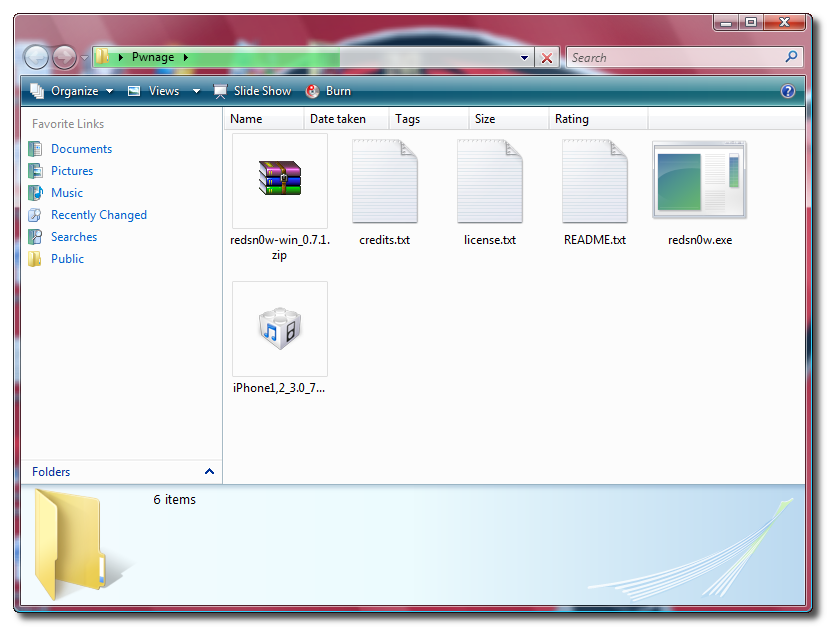 Step Two Connect your iPhone to the computer and launch iTunes.  Select your iPhone from the list of devices on the left. Now hold down shift and click the Restore button. Restore is preferred as it won't create any wasted space on your iPhone. 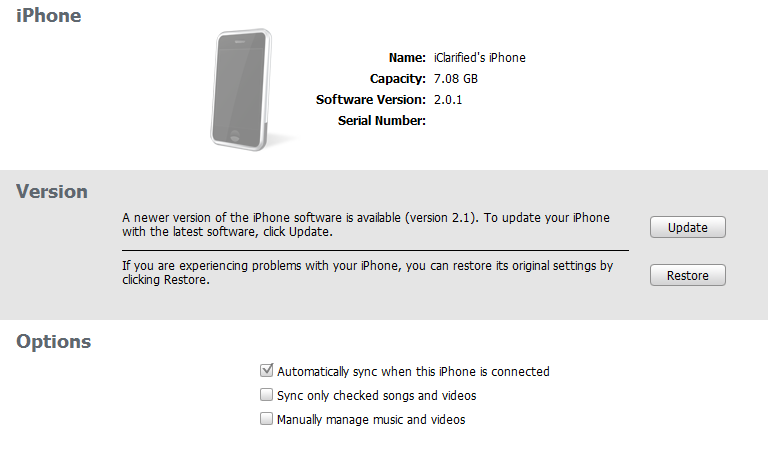 Navigate to the Pwnage folder on your desktop and select the firmware ipsw. Click the Open button to continue. 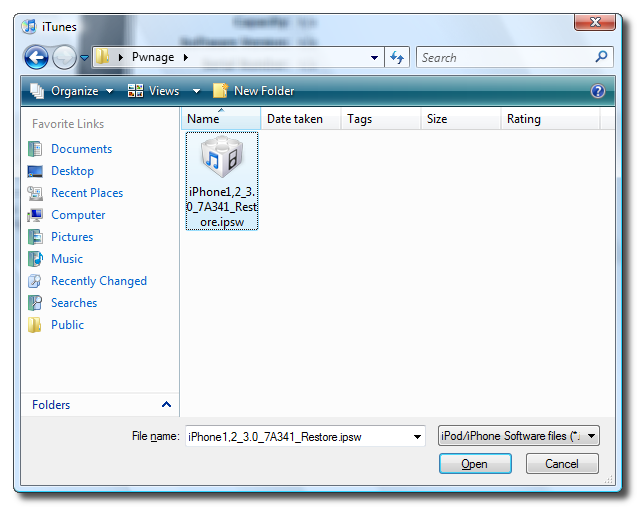 Step Three Once iTunes has finished updating your iPhone to the desired firmware you may launch redsnw0w.exe from the Pwnage folder on your desktop.  Step Four Once RedSn0w opens click the Browse button 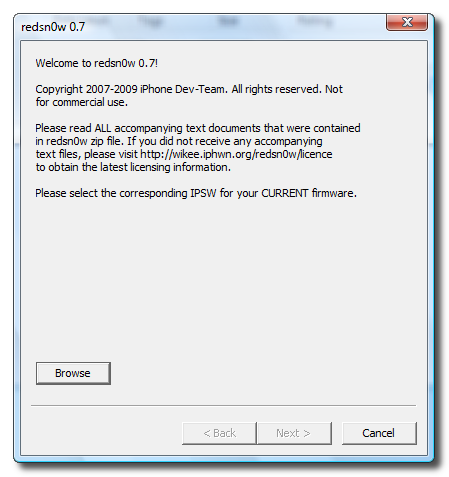 Step Five Select the firmware ipsw we placed in the Pwnage folder on our desktop then click Open 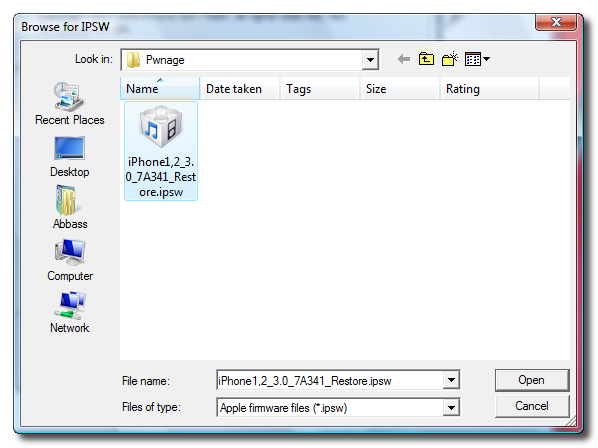 Step Six Once the firmware has been verified click the Next button to continue. 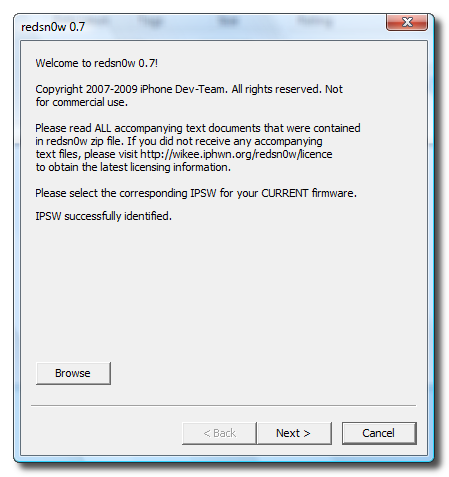 Step Seven Make sure Cydia is selected and click the Next button. 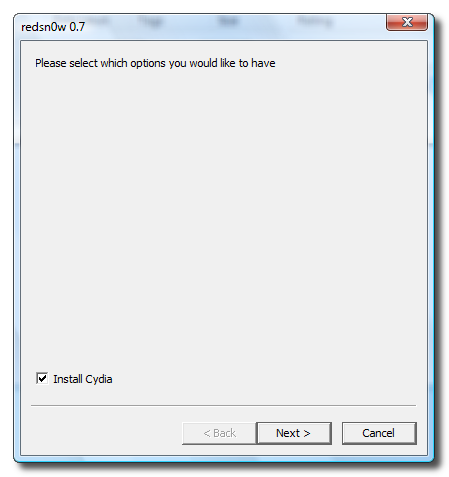 Step Eight Please plug your iPhone into the computer and make sure its OFF then click the Next button 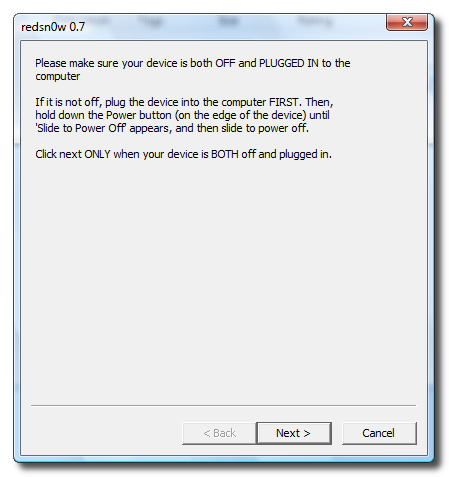 Step Nine RedSn0w will now guide you through the steps to get into DFU mode. 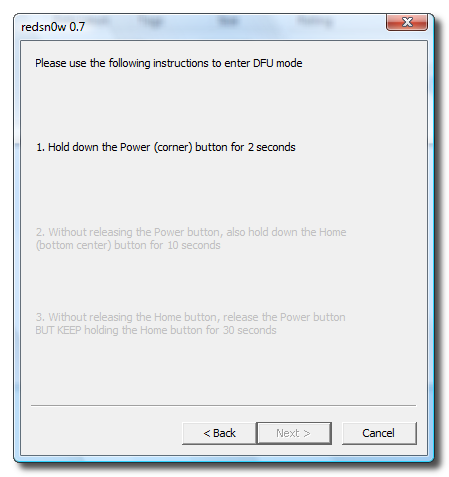 Hold down both the Home button and the Power button for 10 seconds. 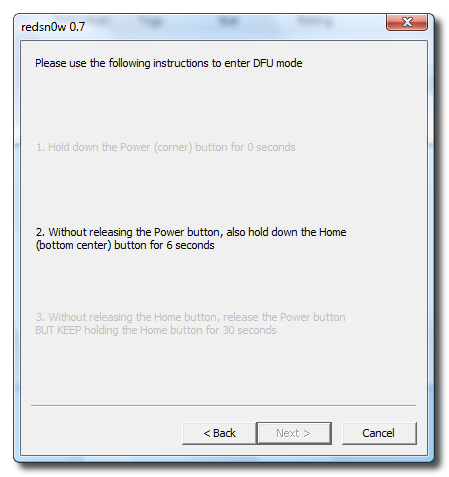 Release the Power button and continue holding the Home button until RedSn0w detects the device. 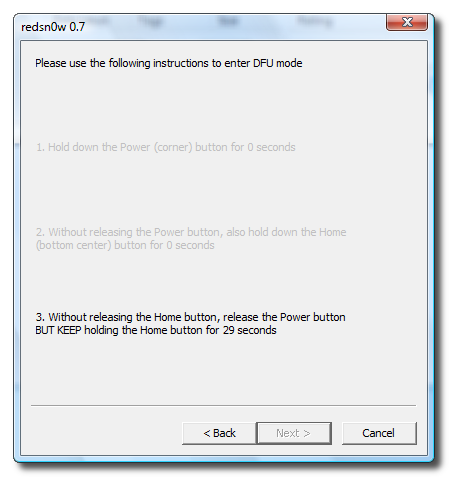 Step Ten Your iPhone will now reboot 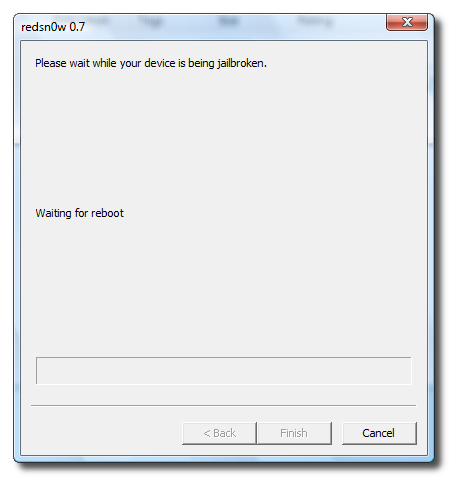 Step Eleven RedSn0w will then begin uploading the new RAM Disk. 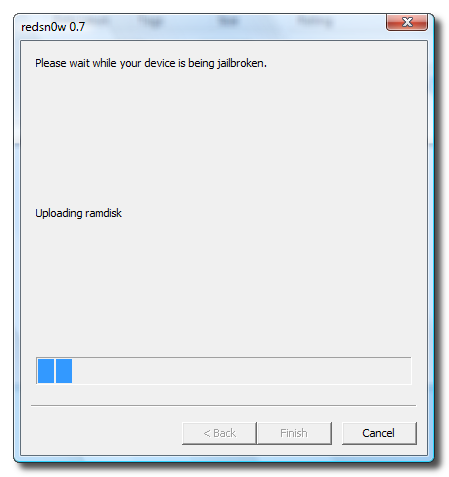 Step Twelve Once this is complete you will be notified that RedSn0w is done. Click the Finish button. When your iPhone finishes reboot (5 minutes or so). It will be jailbroken with Cydia on the SpringBoard. 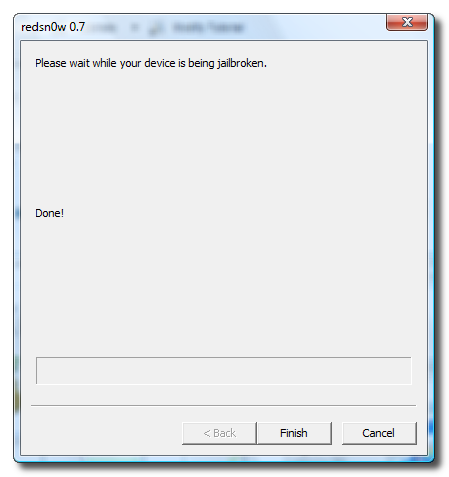 | ||
Official Original Apple iPhone OS 3.1

Hi Friend, Below you can find the direct links to the iPhone Firmware Files for every released firmware version. Latest Version now is 3.1.
iPhone 2G
iPhone 3G
3.1.0 (3G): iPhone1,2_3.1_7C144_Restore.ipsw
3.1.0 (3G): iPhone1,2_3.1_7C144_Restore.ipsw
iPhone 3Gs
To Install, you need iTunes and u can download here.
Subscribe to:
Posts (Atom)