If you just want to try to upgrade to IOS 6.0 and now want to downgrade to the iOS 5.1.1. here i will give you a simple way to do that.
1. Connect your iPhone to Mac/PC.
2. Open iTunes (make sure you use latest iTunes 10.6.3. update or download from apple web).
3. Press and hold home button and power button until iPhone off, and release the power button without release the home button.
4. After a while, your iTunes will detect your iPhone on DFU Mode.
5. hold the option (mac)/ Shift (windows) and the click the restore button on iTunes.
6. locate the iOS 5.1.1 *.ipsw on your Disk.
7. Then OK..wait until finish...
thats all.
having any problem, can email to me for help. FOC.
irazzac@gmail.com
Showing posts with label iphone 4s. Show all posts
Showing posts with label iphone 4s. Show all posts
Sunday, June 17, 2012

Friday, June 15, 2012
iOS 6.0 Beta 1: how to upgrade without Developer Account Register with Apple
I just updated my iphone 4 and iPhone 4s to iOS 6 beta 1 succesfully.
I just share with you all simple step to do...
1. Download ios 6.0 from imdzl.com.
2. Open iTunes and connect your i device to usb port.
3. Hold option (mac) or shift (windows)
4. click check for update ( dont use restore) and find your .ipsw file and wait until finish.
5. After 20-30 minute, done.
Thats all.
irazzac@gmail.com
I just share with you all simple step to do...
1. Download ios 6.0 from imdzl.com.
2. Open iTunes and connect your i device to usb port.
3. Hold option (mac) or shift (windows)
4. click check for update ( dont use restore) and find your .ipsw file and wait until finish.
5. After 20-30 minute, done.
Thats all.
irazzac@gmail.com
Sunday, February 5, 2012
Cara Men-jailbreak iPhone 4S / iPad 2 Anda Menggunakan Absinthe (Windows) [5.0, 5.0.1]
Di bawah ini adalah cara bagaimana melakukan proses "jailbreak untethered" untuk iPhone 4S / iPad 2 IOS 5.0.1 /5.0 Anda menggunakan Absinthe versi Windows.
Peringatan***: Sebelum Anda melakukan sebarang perkara, pastikan Anda telah backup iPhone/iPad Anda pada iTunes kerana ada kemungkinan Anda akan kehilangan Camera Roll / data selepas proses ini.
Peringatan***: Sebelum Anda melakukan sebarang perkara, pastikan Anda telah backup iPhone/iPad Anda pada iTunes kerana ada kemungkinan Anda akan kehilangan Camera Roll / data selepas proses ini.
Langkah Pertama
Download Absinthe terbaru dari sini.
Langkah Kedua
Double klik untuk mengekstrak file yang telah di download tadi dan run aplikasi Absinthe.

Langkah Ketiga
Seterusnya sambungkan iPhone 4S Anda ke komputer via USB. Pastikan delete passcode atau VPN yang telah Anda atur sebelumnya.

Langkah Keempat
Klik Buttonl Jailbreak untuk mula..

Langkah Kelima
Aplikasi ini akan membawa Anda melalui beberapa langkah jailbreak: Sending initial data, waiting for reboot, waiting for device to finish booting, Preparing jailbreak data, dan Sending payload data.


Langkah Keenam
Anda akan diberitahu bahwa jailbreak 'Almost done'.

Langkah Ketujuh
Download Absinthe terbaru dari sini.
Langkah Kedua
Double klik untuk mengekstrak file yang telah di download tadi dan run aplikasi Absinthe.
Langkah Ketiga
Seterusnya sambungkan iPhone 4S Anda ke komputer via USB. Pastikan delete passcode atau VPN yang telah Anda atur sebelumnya.
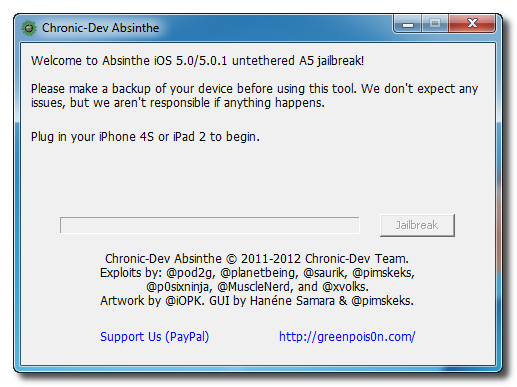
Langkah Keempat
Klik Buttonl Jailbreak untuk mula..
Langkah Kelima
Aplikasi ini akan membawa Anda melalui beberapa langkah jailbreak: Sending initial data, waiting for reboot, waiting for device to finish booting, Preparing jailbreak data, dan Sending payload data.
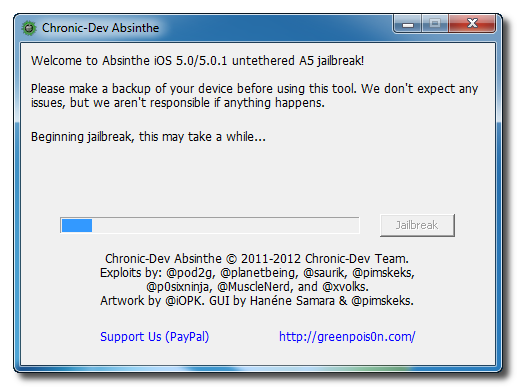
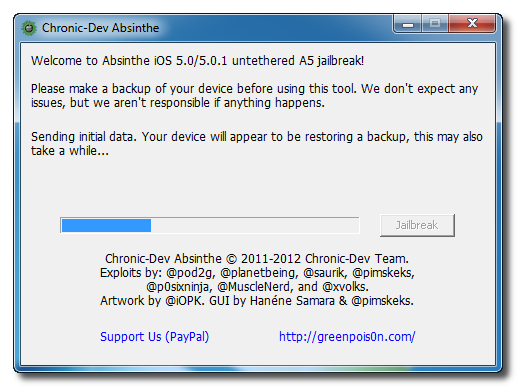
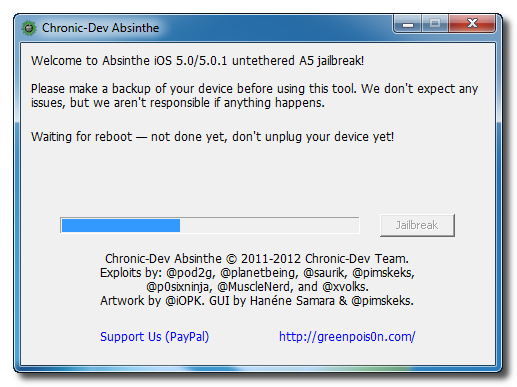
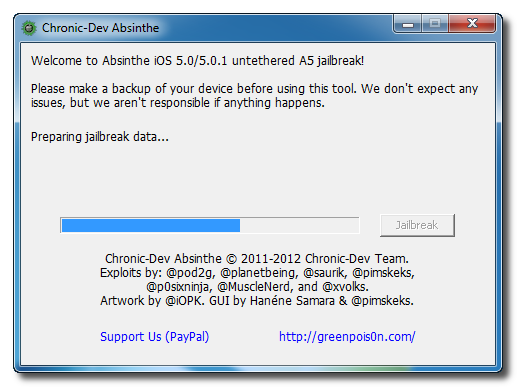
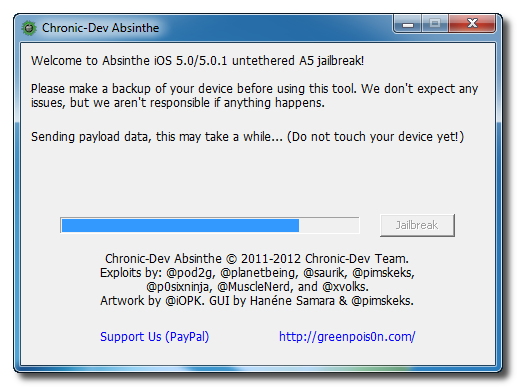
Langkah Keenam
Anda akan diberitahu bahwa jailbreak 'Almost done'.
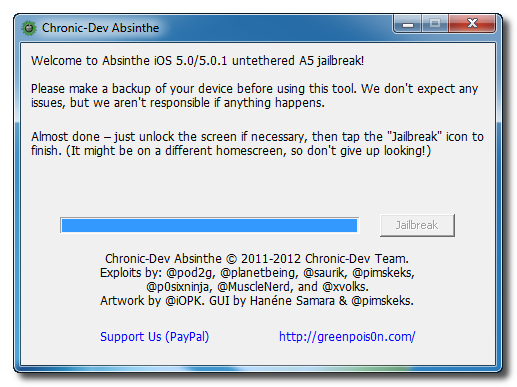
Langkah Ketujuh
Seterusnya, cari ikon Absinthe dan touch/open untuk proses install cydia melalui Absinthe. Icon tersebut terdapat di homescreen.

Jika server sedang down dan Anda mendapatkan mesej Error establishing a database connection klik ikon Settings di springroad dan hidupkan VPN.


Anda akan mendapatkan mesej kesalahan konfigurasi; namun, setelah sekitar seminit iphone Anda akan boot ulang dengan Cydia di Springboard!

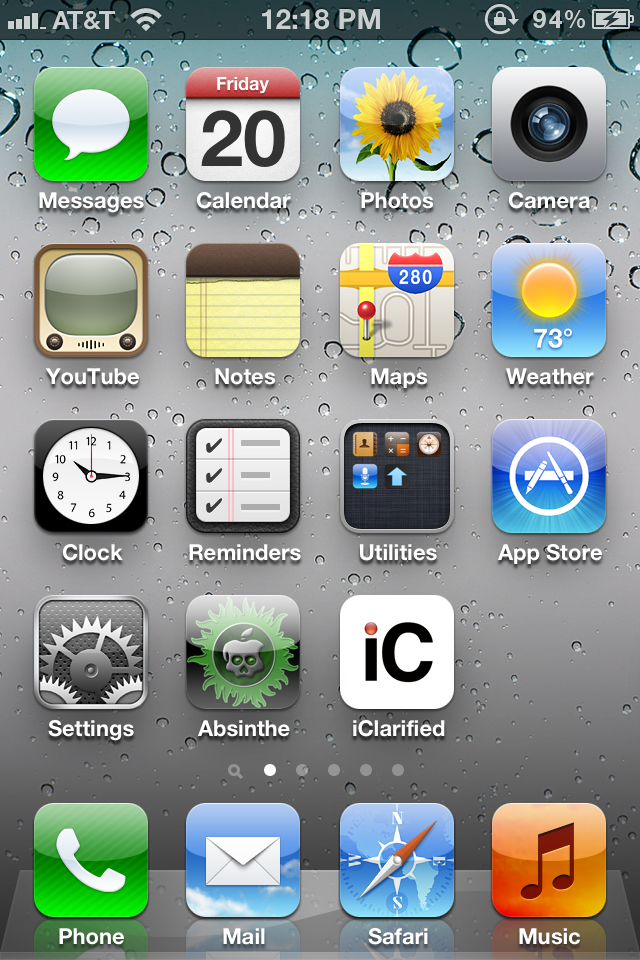
Jika server sedang down dan Anda mendapatkan mesej Error establishing a database connection klik ikon Settings di springroad dan hidupkan VPN.
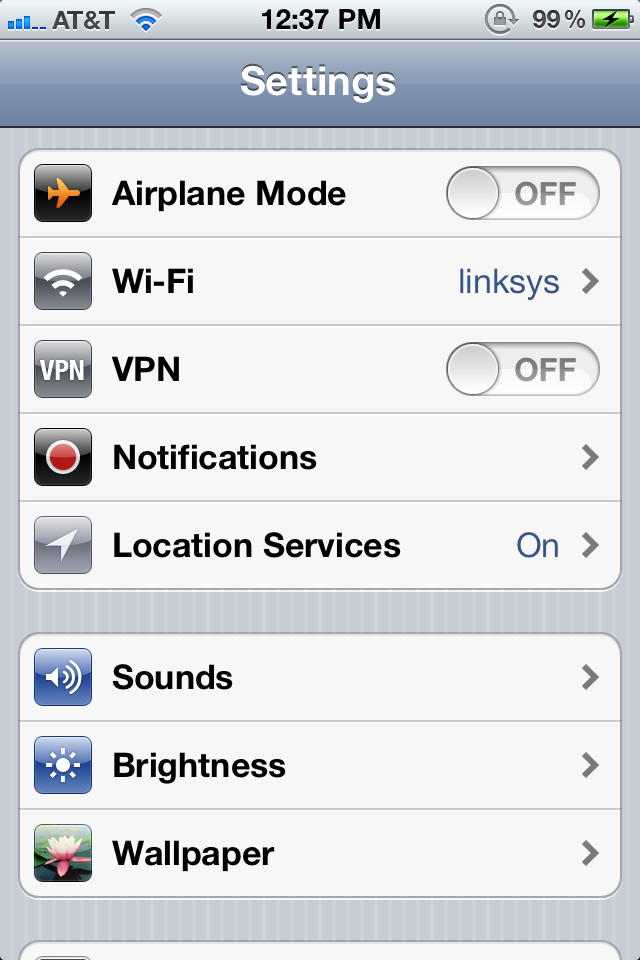
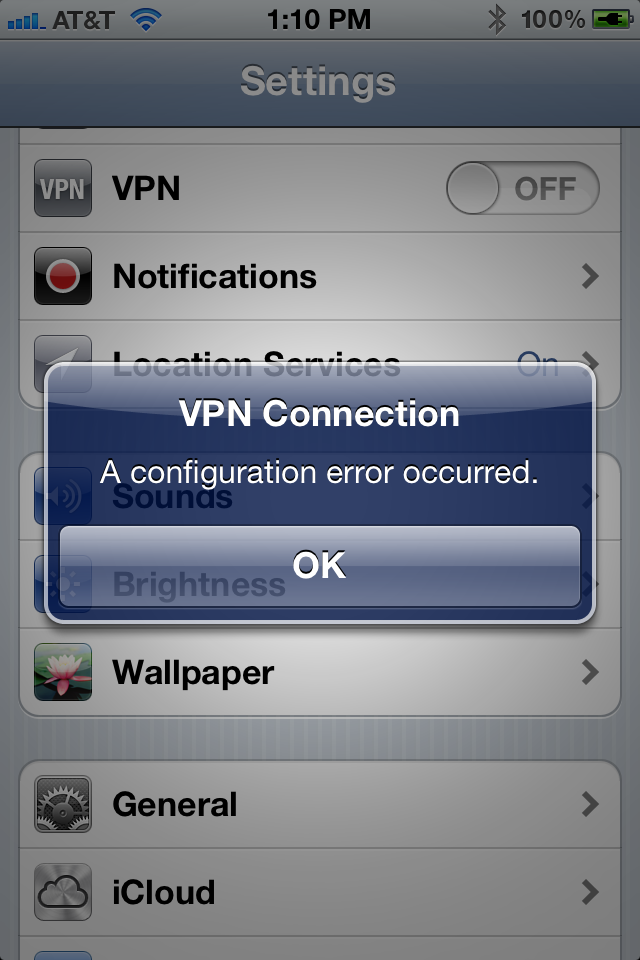
Anda akan mendapatkan mesej kesalahan konfigurasi; namun, setelah sekitar seminit iphone Anda akan boot ulang dengan Cydia di Springboard!
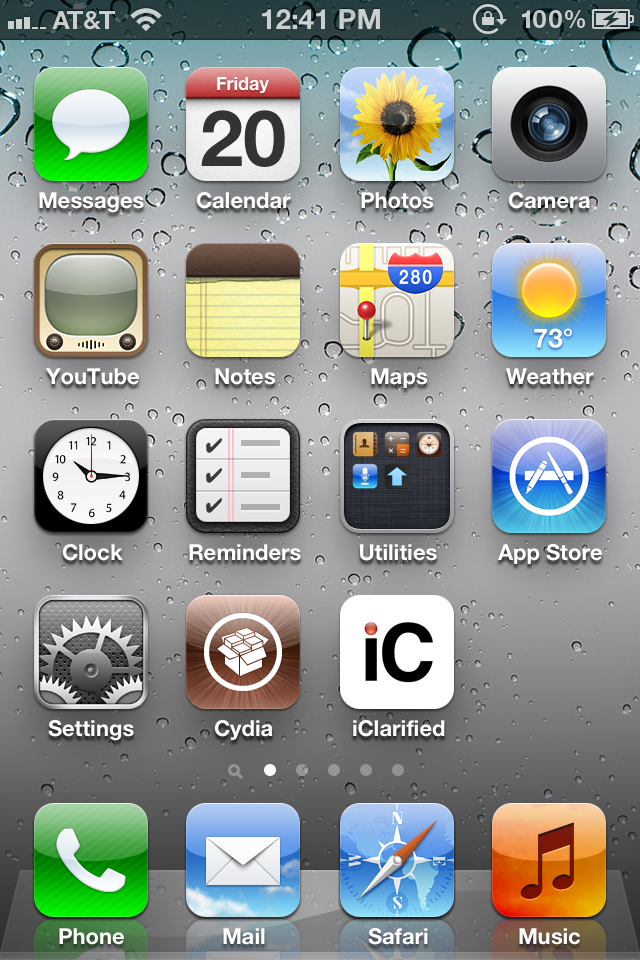
Sekian, Sudah selesai...sebarang pertanyaan boleh emelkan kepada saya.
Subscribe to:
Posts (Atom)