Sunday, May 13, 2012
Apple New iPad aka iPad 3..

Tuesday, March 27, 2012
Apple iPhone 4S atau Samsung Galaxy Note / S2 / S3..Mana satu yang lebih baik?
Sunday, February 5, 2012
Cara Men-jailbreak iPhone 4S / iPad 2 Anda Menggunakan Absinthe (Windows) [5.0, 5.0.1]
Peringatan***: Sebelum Anda melakukan sebarang perkara, pastikan Anda telah backup iPhone/iPad Anda pada iTunes kerana ada kemungkinan Anda akan kehilangan Camera Roll / data selepas proses ini.
Download Absinthe terbaru dari sini.
Langkah Kedua
Double klik untuk mengekstrak file yang telah di download tadi dan run aplikasi Absinthe.

Langkah Ketiga
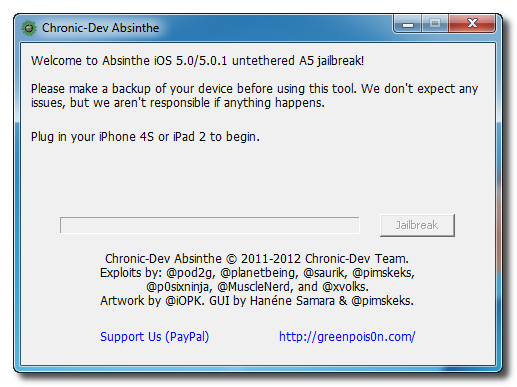
Seterusnya sambungkan iPhone 4S Anda ke komputer via USB. Pastikan delete passcode atau VPN yang telah Anda atur sebelumnya.
Langkah Keempat
Klik Buttonl Jailbreak untuk mula..

Langkah Kelima
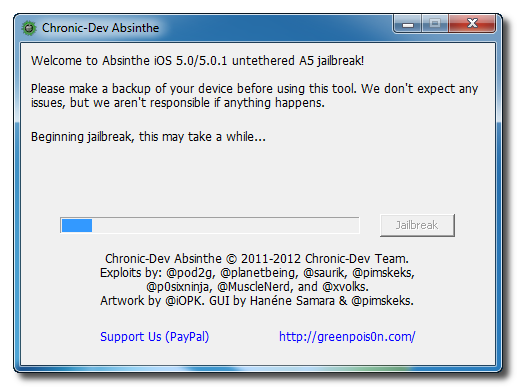
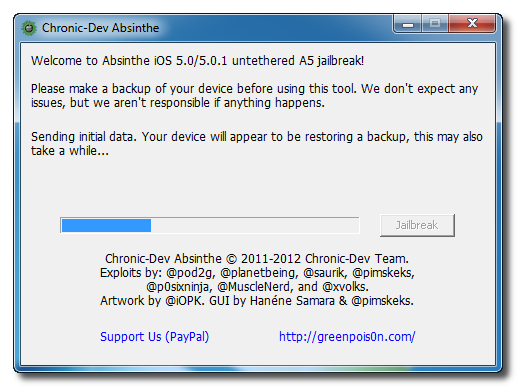
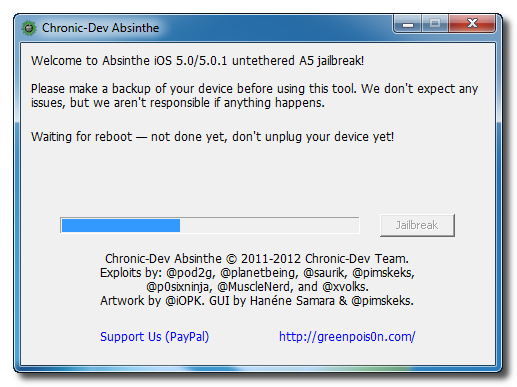
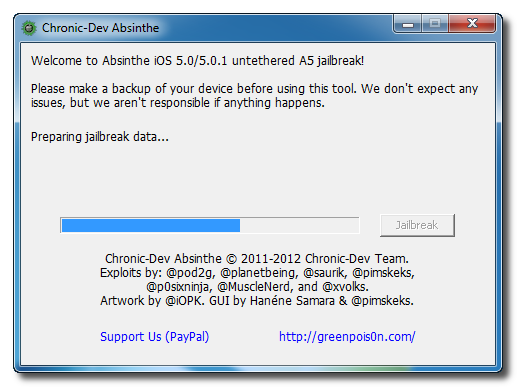
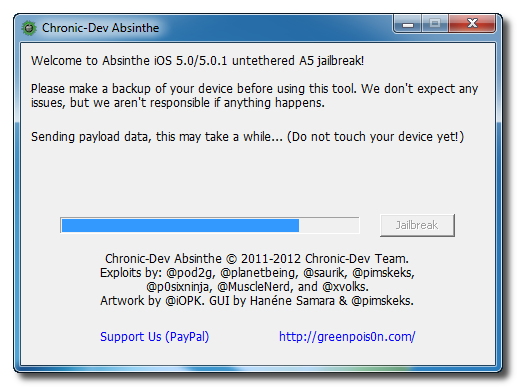
Aplikasi ini akan membawa Anda melalui beberapa langkah jailbreak: Sending initial data, waiting for reboot, waiting for device to finish booting, Preparing jailbreak data, dan Sending payload data.
Langkah Keenam
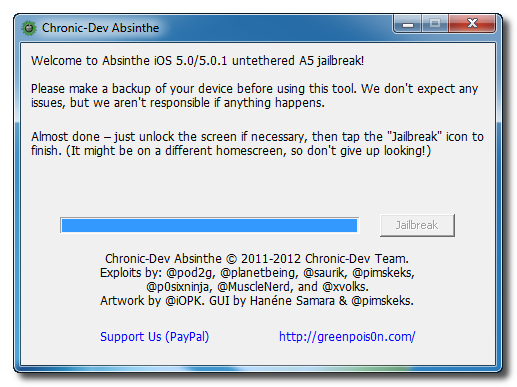
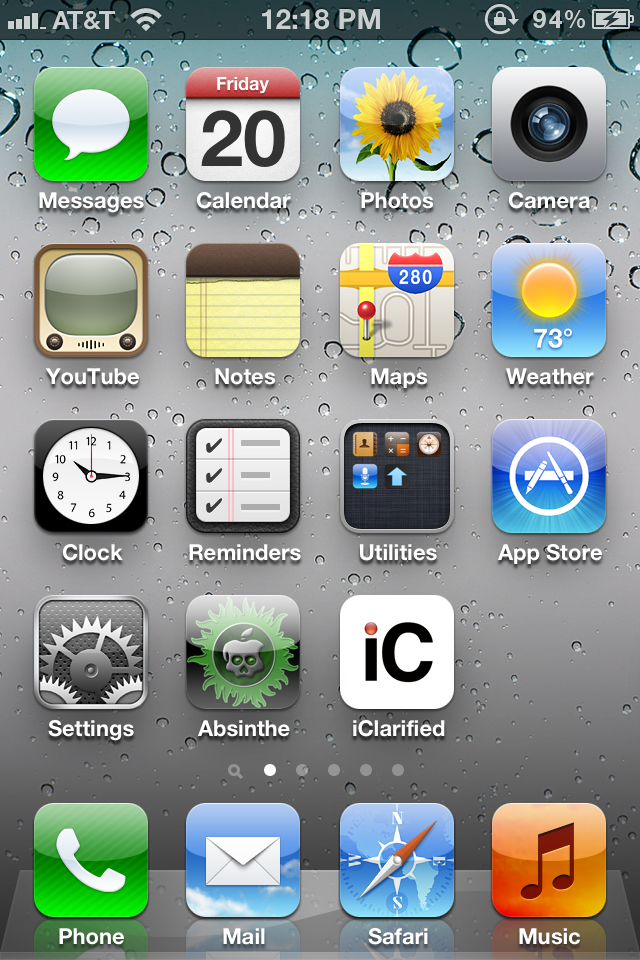
Anda akan diberitahu bahwa jailbreak 'Almost done'.
Langkah Ketujuh
Jika server sedang down dan Anda mendapatkan mesej Error establishing a database connection klik ikon Settings di springroad dan hidupkan VPN.
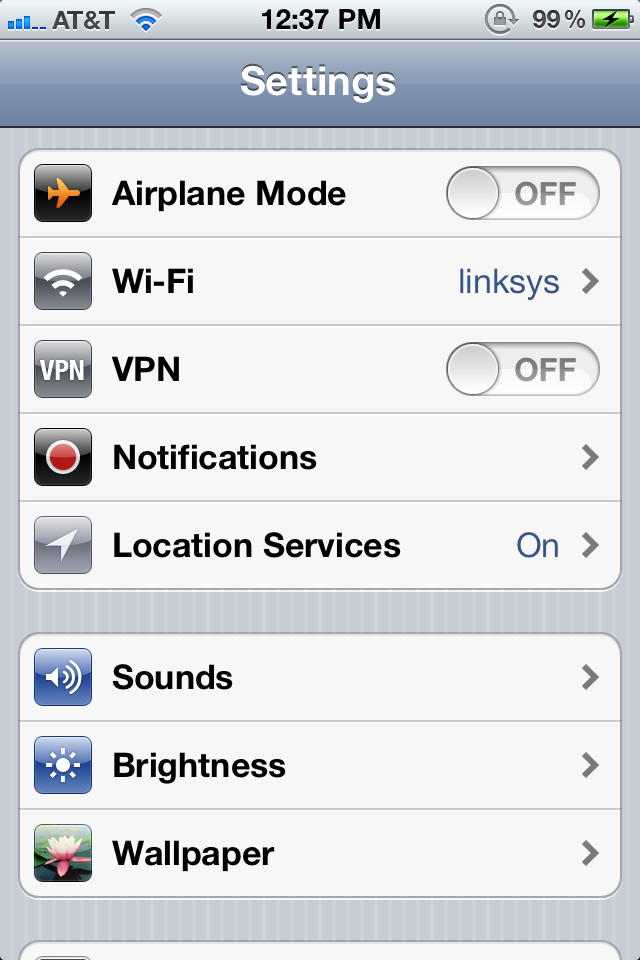
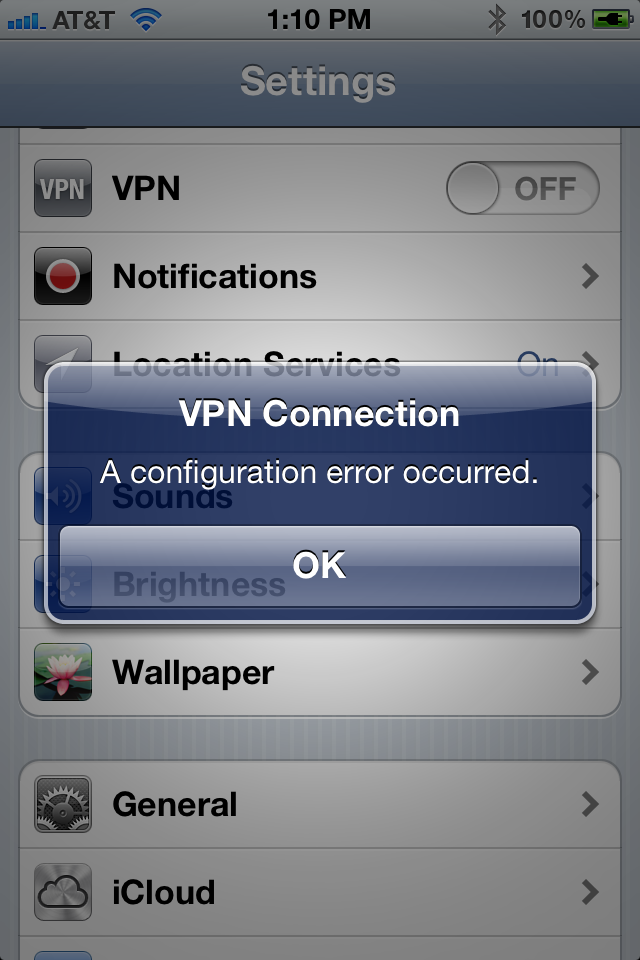
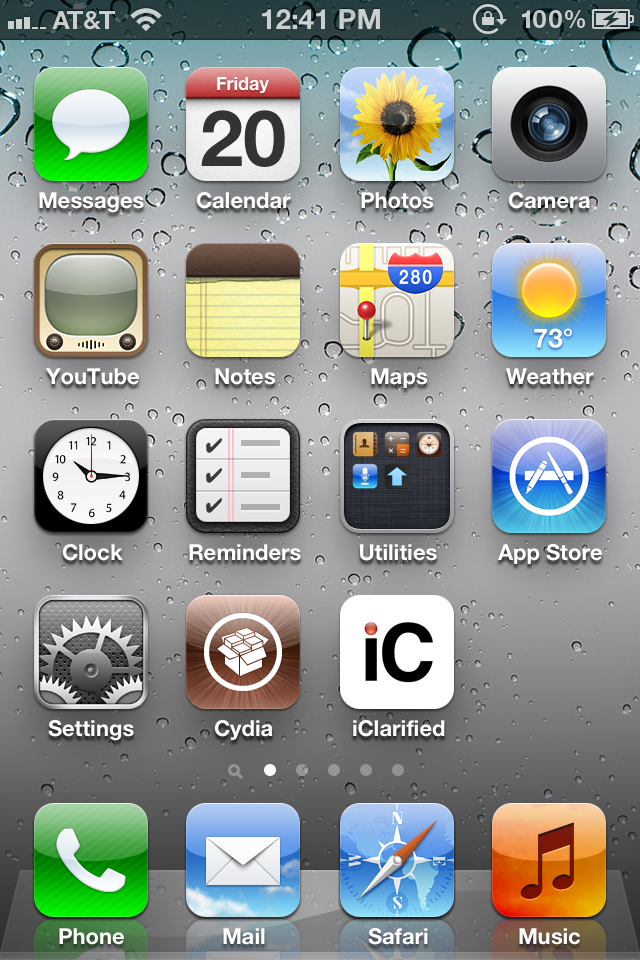
Anda akan mendapatkan mesej kesalahan konfigurasi; namun, setelah sekitar seminit iphone Anda akan boot ulang dengan Cydia di Springboard!
Reasons to Jailbreak the iPhone 4S/4/3GS/iPad/iPod..
Cydia Apps

Cydia is an alternate app store that makes it easy to find and install apps that Apple wouldn’t approve. Many of the reasons to jailbreak will require a trip to this new app store, only available on jailbroken iPhones. This is the place to go for all the cool apps and features you want on your iPhone, but that Apple won’t deliver until iOS 6.
BrowserChanger

If you want to use an alternate iPhone browsers like Opera or Dolphin, you don’t need to jailbreak, but then all of your apps will use the open in safari behavior and skip right past your favorite browser. Not anymore. Install BrowserChanger and you can choose which browser you want to open when you grab a link from Facebook or Twitter.
Real Google Voice

3G Facetime

SB Settings
SB Settings gives you fast access to your WiFi, Bluetooth and brightness settings. Of all the things Apple makes simple, it sucks at giving you fast access to these essential controls. SB Settings puts them right in your notification pull down so that you can quickly change brightness, turn on Bluetooth and more.Customized Looks
If you wan to change the whole look of your iPhone, to something like OS X Lion or your favorite color combination, you can do this when you Jailbreak your iPhone 4S. There are a number fo WinterBoard themes available to change how your iPhone looks. From minor tweaks to massive changes, you get to customize your iPhone 4S.MyWi – 3G Hotspot

If you want to use your iPhone 4S as a hotspot without signing up for a plan from your carrier, you can use MyWi. This could end up getting you in trouble with certain carriers, and if you use a lot of data you may be better off paying for a hotspot from your carrier. A cool tool, but definitely one to use at your own risk.
Mario on Your iPhone
Another awesome addition when you jailbreak is the ability to load up your favorite emulators like nes4iPhone, snes4iPhone and others. These tools will let you play Roms from your favorite old-time game systems. ROMS are a grey area, so if you don’t own the actual game, you are probably breaking the law. Another fun hack, but one to do at your own risk. You can see the this in action, using the Wiimote as a controller.Five Icon Dock

If you want to add another favorite program to your dock, Five Icon Dock will do that for you by packing in icons tighter. A small tweak, but we all have one more program we want on the home screen at all times. right?
Five Icon Switcher

If you’re going to put 5 icons in your home dock, you’ll want the same five icon look in the multitasking switcher, which is exactly what this app does for you.
Overboard
Even after you add an extra icon to your dock, you’ll want to have Overboard installed. You can pull up a a listing of all of your iPhone screens for easy jumping and navigation. This one is $2 in the Cydia app store and essential if you have page after page of apps. You can see how Overboard works in the video shown above.BiteSMS
Forget about going into the Message app to reply to texts and iMessages, Bite SMS allows you to reply directly from the notification. This is fully compatible with iOS 5 and works with iMessaging. Check out the BiteSMS features in the demo above.IntelliscreenX
If you want to do even more in the Notification Center, IntelliscreenX looks like the best solution. You can access more than just notifications with this jailbreak only app. Check out the video above for all the details.Add More Gestures
Activator will add more gestures to your iPhone 4S. You can swipe left ont he status bar to launch a specific app or double tap to start a new text message in Bite SMS. You’ll be amazed by how much time you save using this app. Ignore the horrible music, and look at Activator in action in the video shown above.Arrange Icons As You Want
Instead of filling up from the upper left to the lower right, Gridlock allows you to place your iPhone apps wherever you want them, leaving open places if you want to keep space around your favorite app for easy tapping. Check out Gridlock in action in the video above.Never Enter Your App Store Password Again
With PasswordPilot, you don’t need to enter your password every time you download an app or download updates. This isn’t good if you are sharing your iPhone, but if you keep a passcode on your iPhone and are sick of typing in your password with every purchase and download it is awesome.Add Pictures To Your Contacts
With Copic, you can add pictures to your iPhone contacts, phone call log and SMS message screens. A nice touch for browsing through your messages quickly. You can see a demo of Copic in the video above.No More Lockscreen
If you want to skip the slide to unlock feature, you can turn on this app and it will automatically unlock your phone to the home screen when you press the power button. Unfortunately, you still see the unlock screen for a second, but it beats sliding to unlock for some users.–
When you can Jailbreak the iPhone 4S, you will be able to search for these apps and hacks in Cydia. If you have a jailbroken iPhone 4, you can get to using them right now.
Sunday, July 31, 2011
WiFi 802.22 Technology Promises Wireless Data Over 60 Miles: Say Goodbye to Data Plans
This technology takes advantage of VHF and UHF TV bands and transmits broadband wireless internet over 60 miles in diameter. This technology takes place in the space between channels, aka the place where the poltergeists live, if you believe technology lore. The officials at the IEEE standards body have noted the following about this new age in wireless technology:
This new standard for Wireless Regional Area Networks (WRANs) takes advantage of the favorable transmission characteristics of the VHF and UHF TV bands to provide broadband wireless access over a large area up to 100 km from the transmitter. Each WRAN will deliver up to 22 Mbps per channel without interfering with reception of existing TV broadcast stations, using the so-called white spaces between the occupied TV channels.
IEEE, the world’s largest professional association advancing technology for humanity that is, noted that this technology will be “especially useful” in less densely populated areas, developing countries, and other locations where most vacant television channels can be found. They’re there – let’s use em!
What if it’s true? It seems much, much too good to be true, doesn’t it? It’s the inexpensive means of getting data we’ve always dreamed of. Just think of only spending $60 a month (or however much it costs near you) for data both in and outside your home, unlimited data, data you’d otherwise have to pay twice as much for on a network that might just as well be cut out of the equation altogether? The facts are here, the news release is plain and simple, but something tells me this tech might never see the light of day – what do you think?
Wednesday, July 20, 2011
Got Error 20 when upgrading IOS from 4.3.4 to 5.0? Workaround is here...
after a day...i tried and tried many way...many times..after that i found the way...
error 20 fix
What I did was as follows:
1.downgraded my itunes to 10.2.2
2.downloaded 4.3.3 firmwire
3.shift+restore find the update and wait till its done
4.upgrade both itunes to itunes beta 10.5.0.48
5.download 5.0 firmwire
6.finally put the idevice in dfu mode and restore!
This worked for me and hopefully it'll work for you!
if u have any question, just emel to me @ irazzac@gmail.com
Friday, June 10, 2011
IOS 4.3.3 | Cara bagaimana untuk jailbreak iPhone 4 / 3GS / iPod Touch / iPad
IOS 4.3.3 | Cara bagaimana untuk jailbreak iPhone 4 / 3GS / iPod Touch / iPad
Di bawah adalah cara bagaimana untuk jailbreak iPhone 4 / 3GS / iPod Touch / iPad IOS 4.3.3 menggunakan RedSn0w Untuk Windows.
# Pastikan iPhone anda adalah Local GSM Set Maxis/ Digi/ Celcom/ Singapore / Australia Set.
Langkah 1.
Buat Satu Folder pada Desktop anda dan namakan dia sebagai Pwnage
Download RedSn0w di sini dan simpan dalam Pwnage folder, dan pastikan jangan lupa untuk download the latest 4.3.3 firmware dari link di bawah dan tempatkan dalam folder yang sama.
4.3.3 (4 GSM): iPhone3,1_4.3.3_8J2_Restore.ipsw #note: utk iPod / iPad Boleh search guna google.
Unzip RedSn0w zip file dalam folder sama.
Langkah 2.
Sambungkan iPhone menggunakan USB kepada Komputer dan buka iTunes.
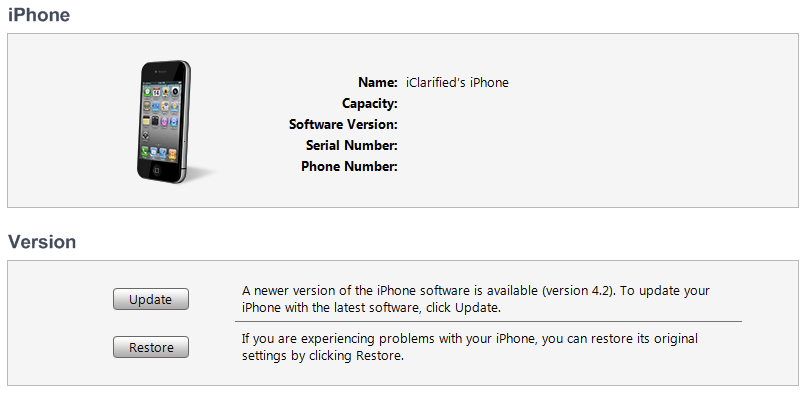
Pilih iPhone anda pada list sebelah kiri. Sekarang tekan Shift pada keyborad dan klik pada Restore Button. Restore is preferred as it won't create any wasted space on your iPhone.
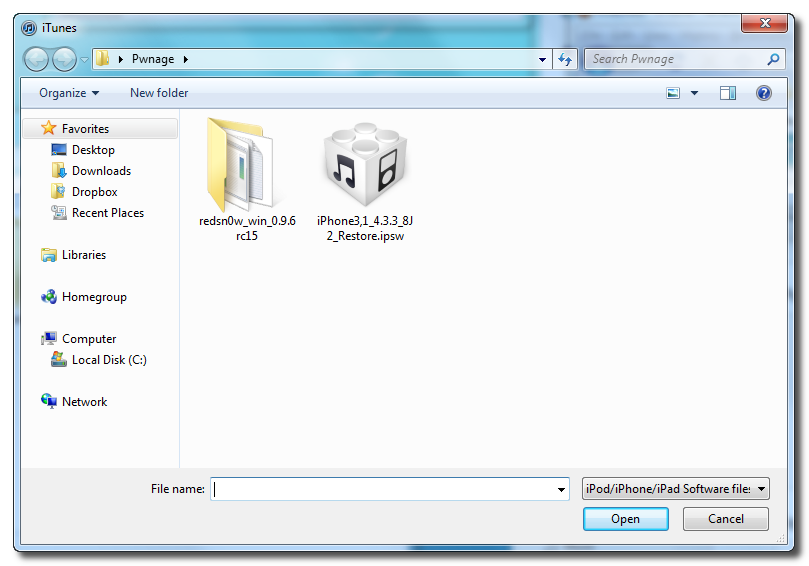
Navigate to the Pwnage folder on your desktop and select the 4.3.3 firmware ipsw. Click the Choose button to continue.
Langkah 3.
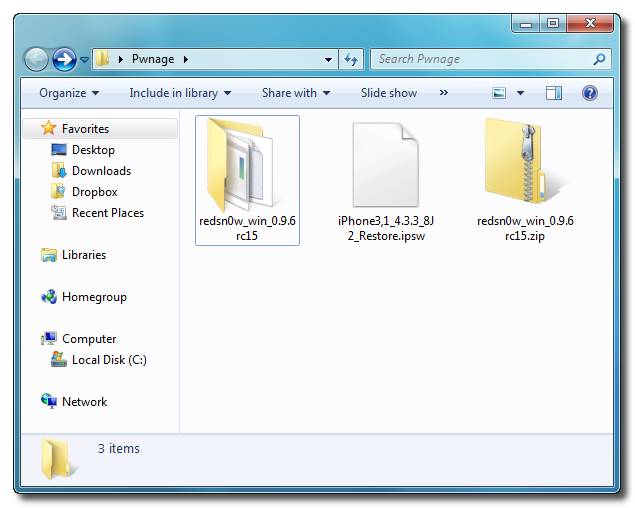

Once iTunes has finished updating your iPhone to the desired firmware open the Pwnage folder on your desktop and launch the redsn0w application from the redsn0w folder we extracted earlier.
**Windows 7 users may want to try running the redsn0w executable mode as an administrator in Windows Vista compatibility. You can do this by right clicking the executable and selecting Properties from the contextual menu.
Langkah 4.
Once RedSn0w opens click the Browse button
Langkah 5.
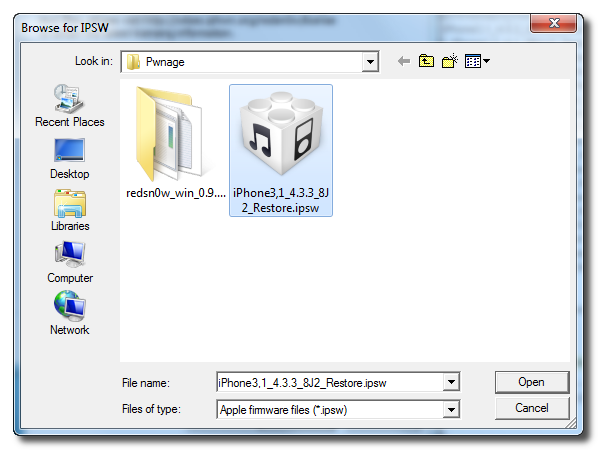
Select the 4.3.3 firmware ipsw we placed in the Pwnage folder on our desktop then click Open.
Langkah 6.
Once the firmware has been verified click the Next button to continue.
Langkah 7
RedSn0w will now prepare the jailbreak data
Langkah 8
From this window you can select the jailbreak options you would like.
Make sure Cydia is selected and click the Next button to continue.
Langkah 9




Please plug your iPhone into the computer and make sure its OFF then click the Next button
Langkah 10
RedSn0w will now guide you through the steps to get into DFU mode. You can find more help with DFU mode here
Hold down both the Home button and the Power button for 10 seconds.
Release the Power button and continue holding the Home button until RedSn0w detects the device.


Langkah 11
Your iPhone will now reboot
Langkah 12
RedSn0w will then begin uploading the new RAM Disk and Kernel.
Langkah 13


Once this is complete you will be notified that RedSn0w is done. Click the Finish button. When your iPhone finishes rebooting (5 minutes or so) it will be jailbroken with Cydia on the SpringBoard.
